Harmonies
Voicemax sings up to four harmony voices (V1 to V4) next to your lead, in real time, from the same take. Each voice has its own color everywhere in the plugin.
Lead vs. Voices
Section titled “Lead vs. Voices”
The long fader under the display. It sets how loud the harmonies are against the lead.
- All the way left: lead only.
- Middle: lead and harmonies at the same level.
- All the way right: harmonies only. Useful when you print the harmonies to their own track.
Double-click resets it to the middle. A good start is a little left of the middle, around 60 % lead.
The Voices card
Section titled “The Voices card”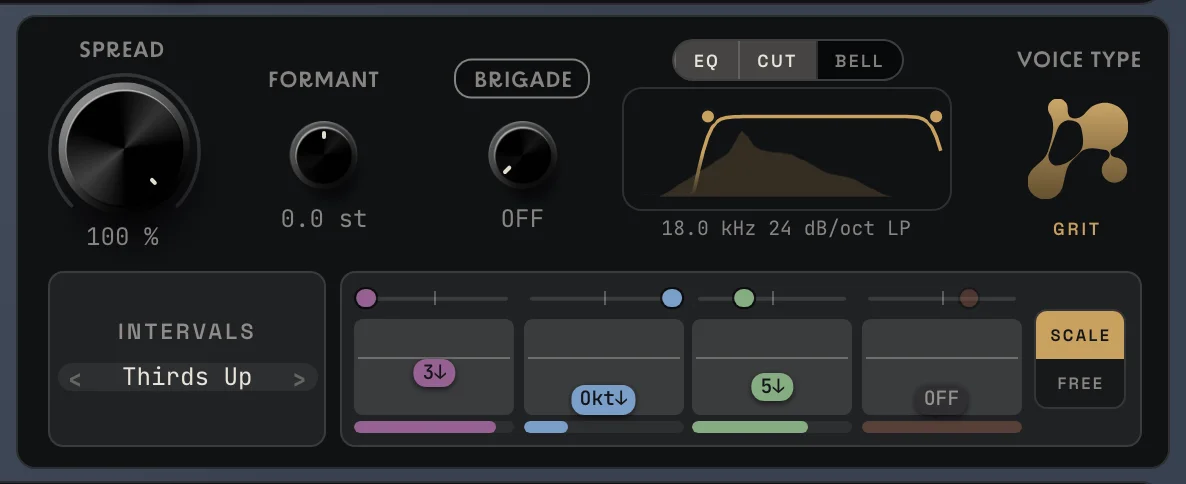
Everything about the harmony voices lives on the right card.
Intervals
Section titled “Intervals”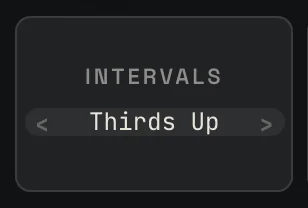
Ready-made harmony sets. Click › or ‹ to step through them, or click the name for the list.
| Interval set | The four voices | Sound |
|---|---|---|
| Thirds Up | 3rd up, 5th up, doubled | The classic pop harmony above the lead. The default. |
| Thirds Down | 3rd down, 5th down, doubled | A warm harmony under the lead. |
| Octaves Up | four voices an octave up | Bright, airy, light. |
| Octaves Down | four voices an octave down | Big and dark, a bass voice under the lead. |
| Unison | four voices on the lead’s note | A thick double-tracked lead, no harmony. |
| Deep | 3rd down, octave down, 5th down, octave down | A heavy, low choir. |
| Full Stack | 3rd up, 5th up, octave up, octave down | The widest, fullest chord. |
When you change a voice by hand, the set shows Custom.
The voice ladder
Section titled “The voice ladder”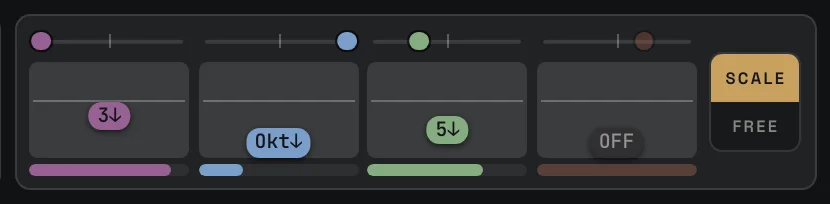
Each column is one harmony voice.
- Pitch: drag the column up or down to set its interval. Drag it all the way down to Off to switch that voice off.
- Pan: the dot on the strip above the column. Double-click to center it.
- Level: the strip at the bottom of the column.
You can also set the voices on the piano at the right of the display: drag a colored chip to another key. Drop it off the piano to switch the voice off.
Scale or Free
Section titled “Scale or Free”The SCALE / FREE switch next to the ladder decides how the voices move.
- SCALE: the voices stay on the notes of your key and scale. A “3rd up” is a major or a minor third, whichever fits the key. This sounds musical almost every time.
- FREE: each voice keeps the exact distance you set in semitones, wherever the lead goes. Good for parallel effects, power-chord stacks and sound design, but it can step outside the key.
Voice Type
Section titled “Voice Type”
Two engines for the harmony voices. The choice is saved with the preset.
- GRIT: grainy and direct. It keeps the bite and the consonants of the voice. Best for rap, rock and punchy pop.
- SILK: spectral and smoother. Softer on breathy or airy vocals. Best for ballads, R&B and pads.
Spread
Section titled “Spread”Spreads the harmonies across the stereo field. At 0 % they sit in the center with the lead. At 100 % they go wide to the sides, while the lead stays in the middle.
Formant
Section titled “Formant”Changes the character of the harmony voices without changing their pitch.
- Negative (−3 st and lower): a bigger, deeper, darker singer.
- Positive (+3 st and higher): a smaller, brighter singer.
- Far settings give a modern, obviously pitch-shifted sound.
A small formant move is the quickest way to make the harmonies sound like a different person and not a copy of the lead.
Brigade knob
Section titled “Brigade knob”How loud the Brigade is. At 0 it is off. Click the BRIGADE label above the knob to open the Brigade editor. See Brigade.
Harmony EQ
Section titled “Harmony EQ”The same EQ as on the lead, but only on the harmonies. Use CUT to take the low end out of the harmonies so they don’t muddy the lead, and BELL to soften them.
Next: Brigade
docs v0.0.5